
Cherry Studio - Desktop AI Client
Cherry Studio Tutorial — Connecting the desktop AI client to 枭毅API, one-click API Key entry. Built-in 30+ professional AI assistants, covering various work scenarios.
Chat Settings Options
In the 枭毅API console's System Settings -> Chat Settings, you can add the following quick options for one-click filling into Cherry Studio on the token management page:
{ "Cherry Studio": "cherrystudio://providers/api-keys?v=1&data={cherryConfig}" }🍒 Cherry Studio is a powerful desktop AI client designed for professional users, integrating 30+ industry-specific intelligent assistants to meet the needs of various work scenarios and significantly improve work efficiency.
- Official Website: https://cherry-ai.com
- Download Link: https://cherry-ai.com/download
- Official Documentation: https://docs.cherry-ai.com
枭毅API Integration Method
Parameter Configuration
Provider Type: Types supported by 枭毅API API Key: Obtained from 枭毅API API Address: 枭毅API Site Address
Please use your self-deployed 枭毅API, or ensure that the service provider has a 枭毅API service with legal upstream authorization and compliance obligations. Do not integrate API addresses or keys from unknown sources into a production environment.
Graphical Guide
-
Copy API key in 枭毅API
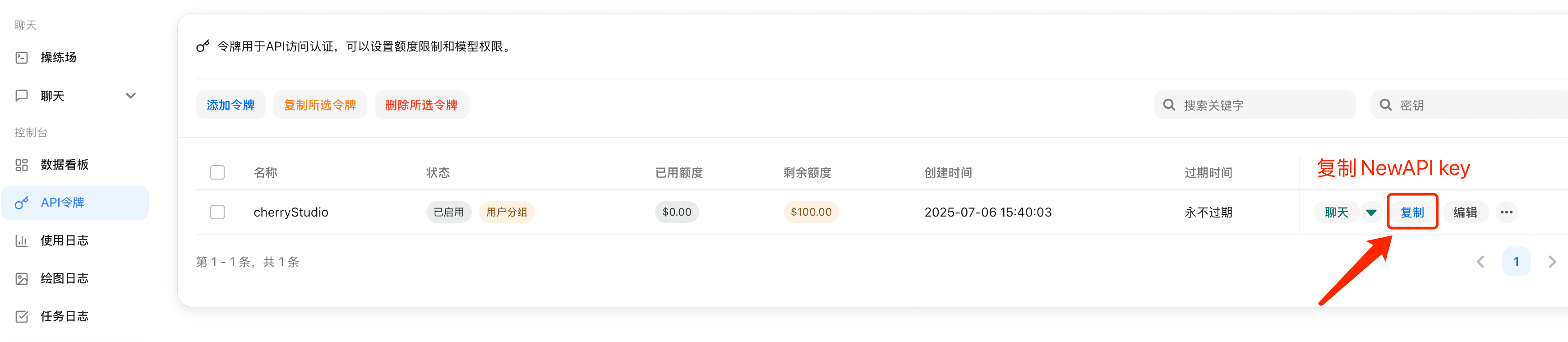
-
Add Provider
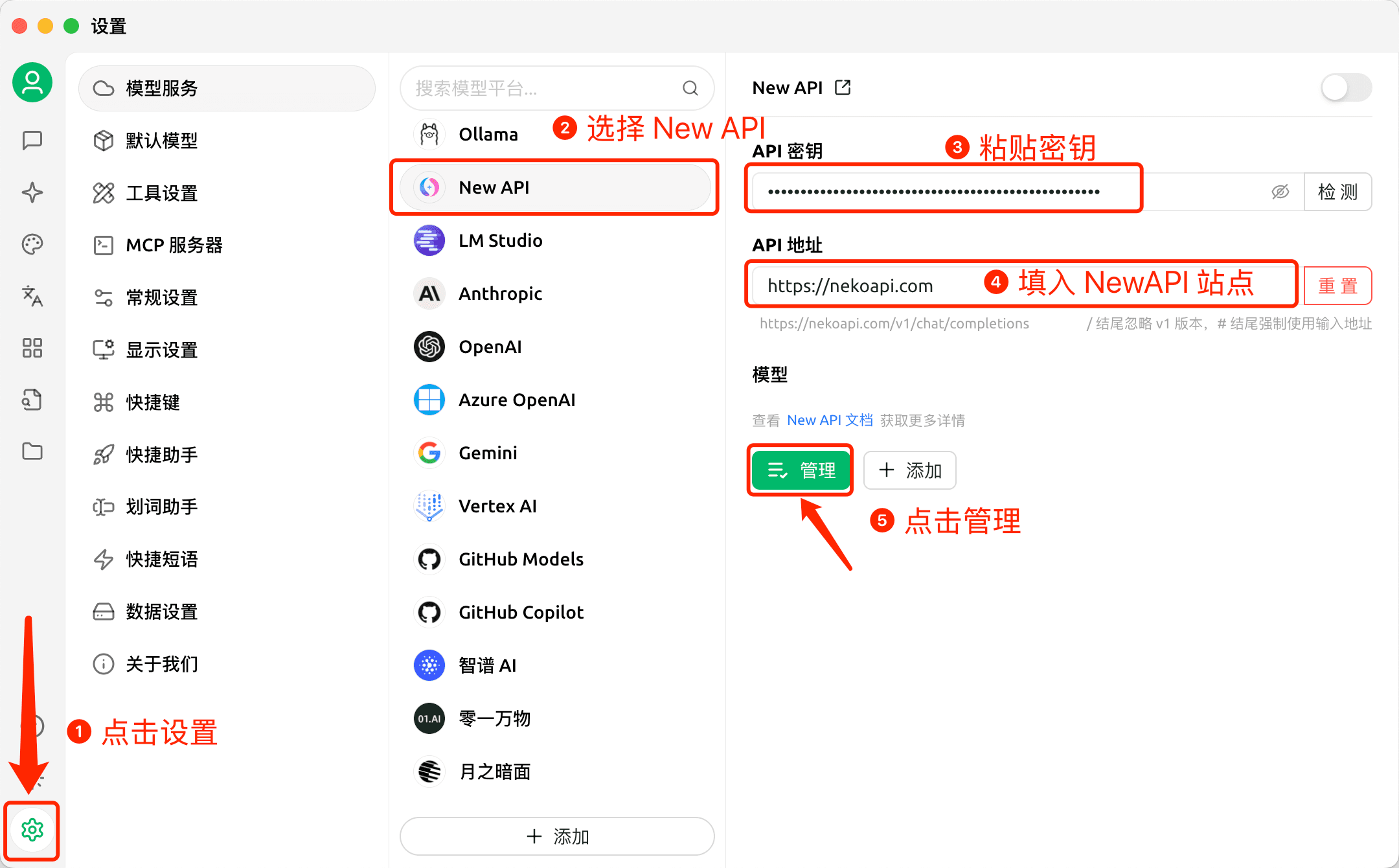
-
Add Model
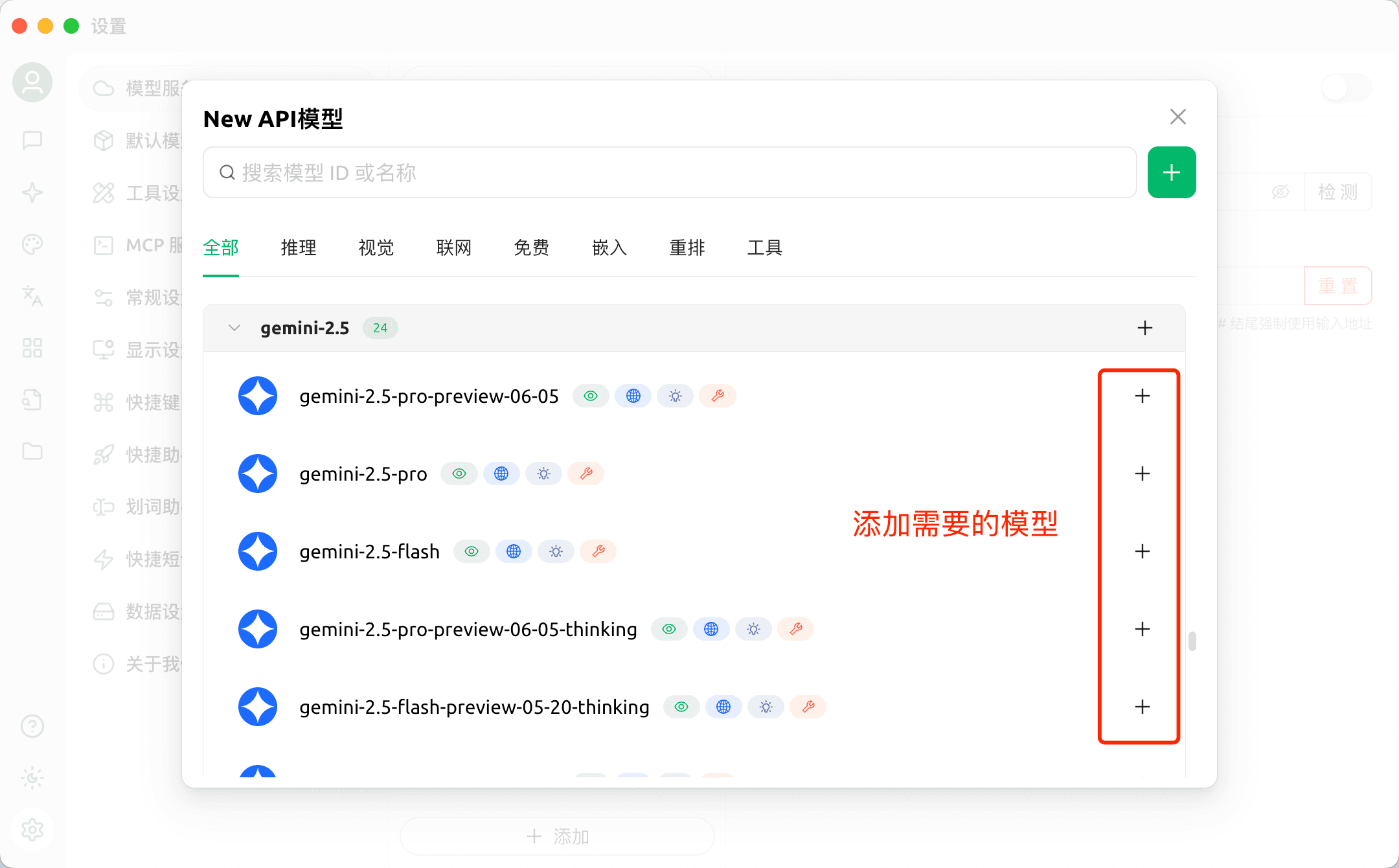
-
Return to Chat Page
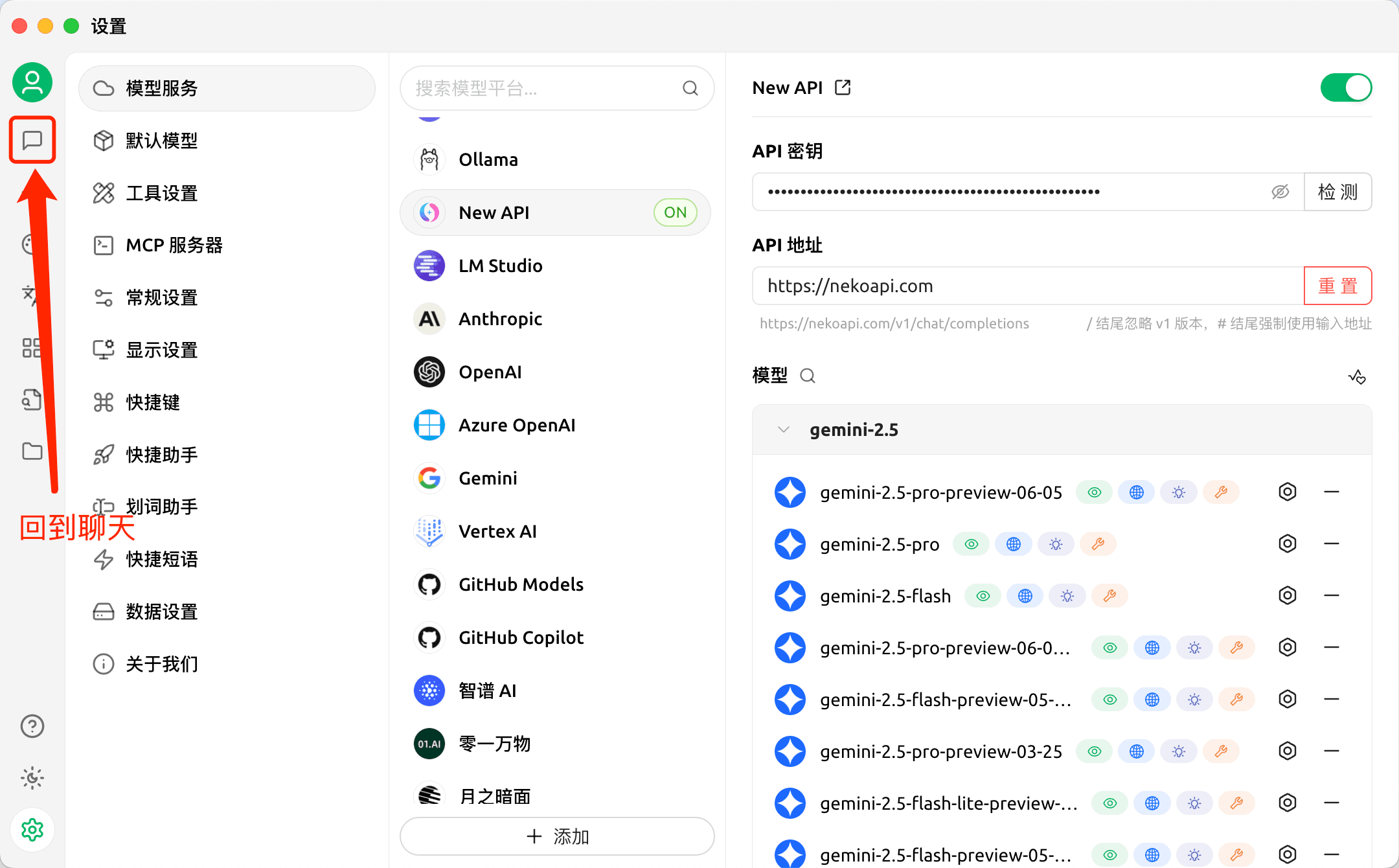
-
Switch 枭毅API Model
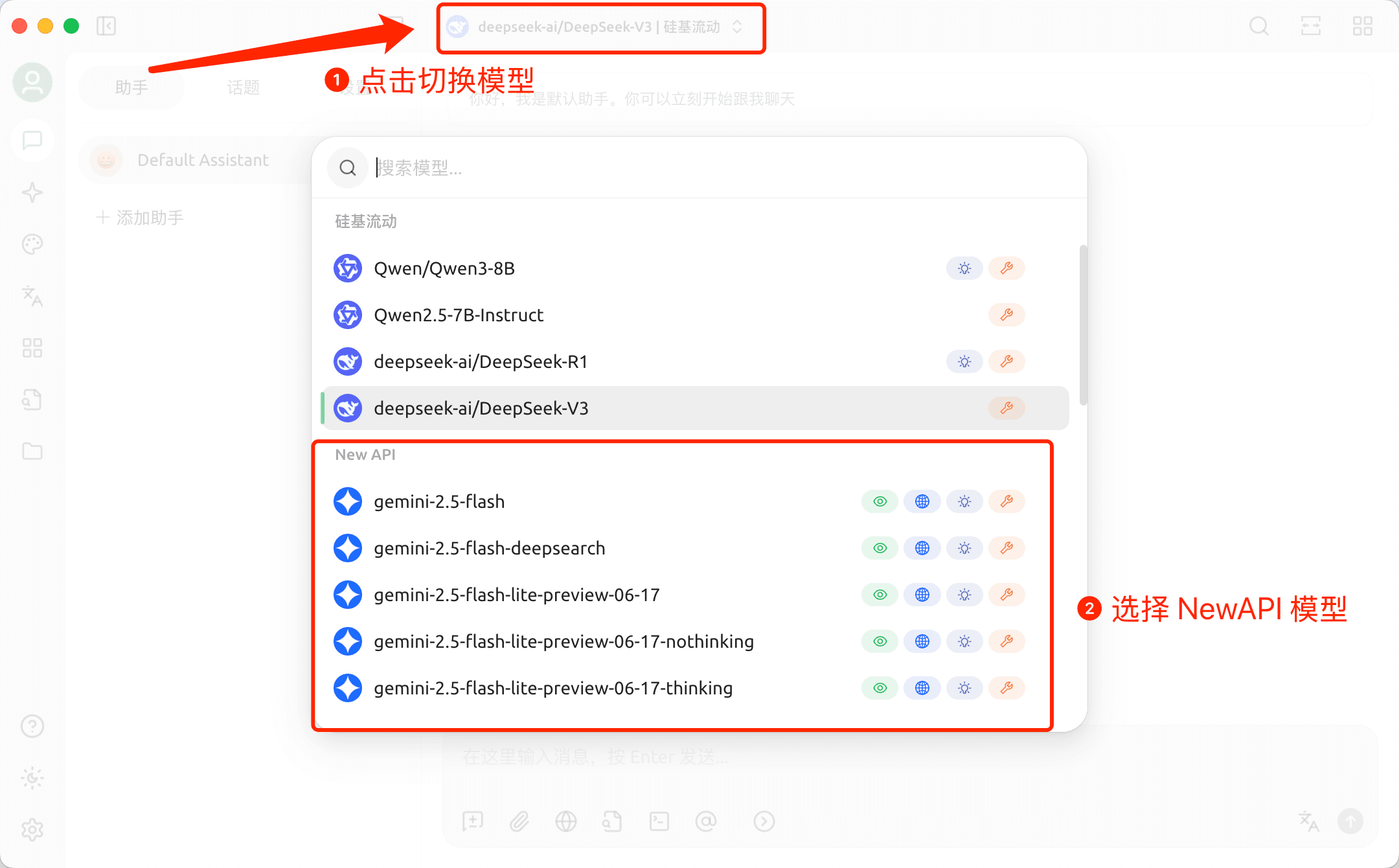
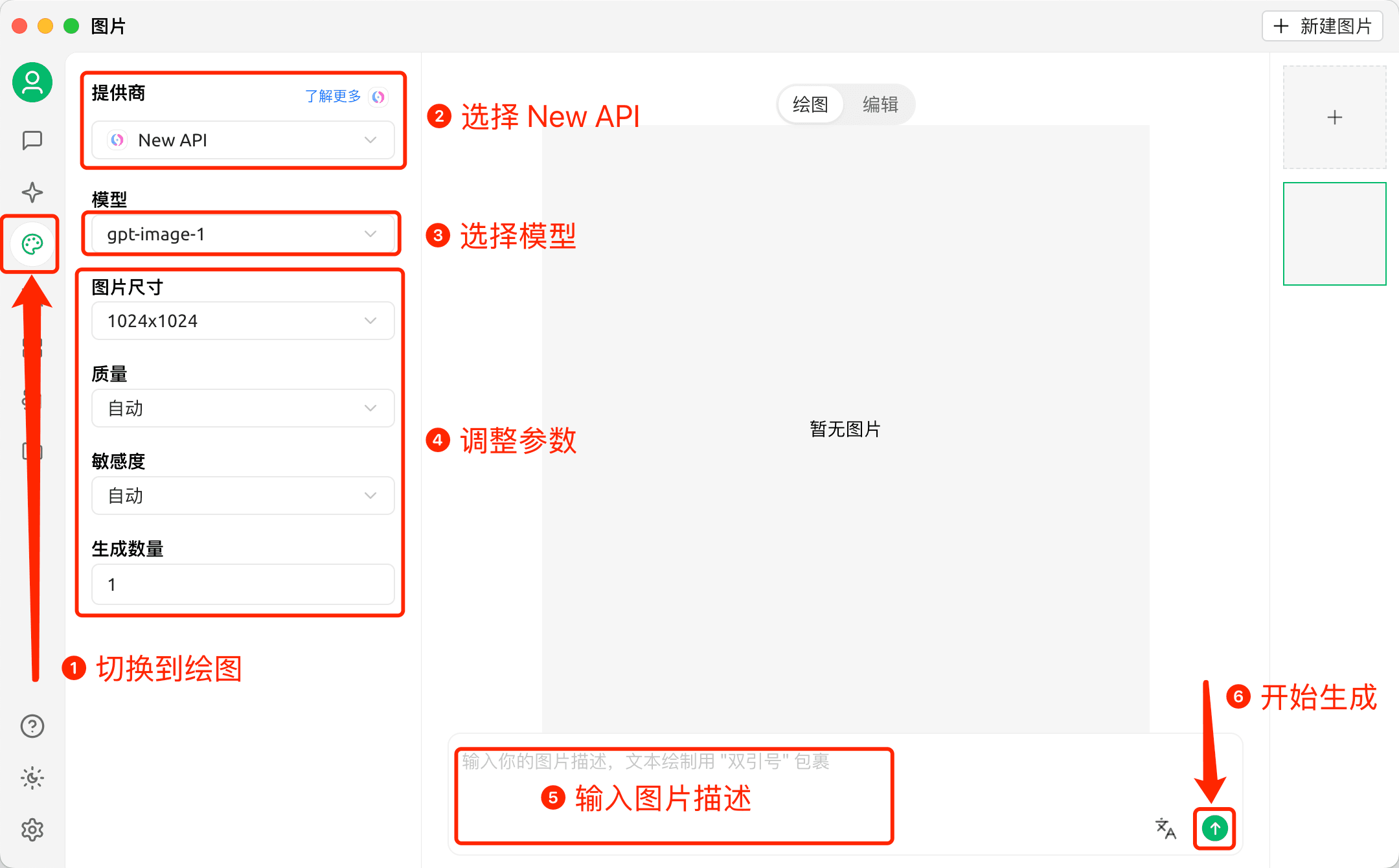
Drawing in Cherry Studio
-
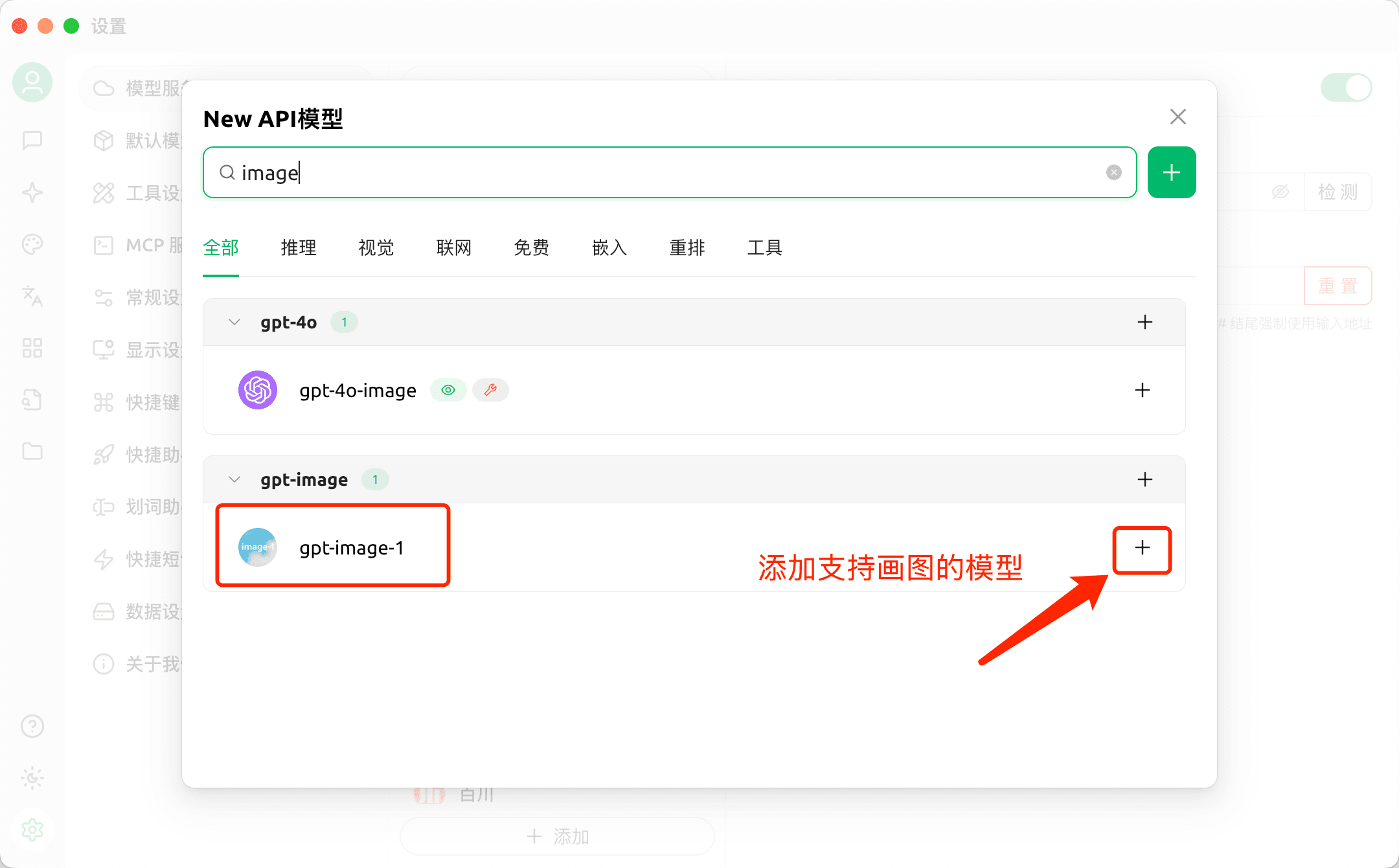
First, add models that support drawing
-
Draw
How is this guide?
CC Switch - All-in-One AI CLI Management Tool
CC Switch tutorial — a cross-platform tool for unified management of Claude Code, Codex & Gemini CLI provider configs, MCP servers, and system prompts. One-click import from 枭毅API.
DeepChat - Commercial-Friendly Full-Featured AI Agent Client
DeepChat guide — connect this open-source, commercial-friendly full-featured AI Agent client to 枭毅API and import DeepChat configuration with DeepLink in one click.